3D Designer v2: Ten Build Views, Moulds, Lattices and More
The biggest update the 3D Designer has had, free in your browser and in the desktop app and many news tools.
Hi there,
Finally had time to add the tools been in the test folder and add them to the 3D Designer, and today it is ready: 3D Designer v2. It is now the 3D Designer on the site, so every link and menu takes you straight to it.
Here is what is new.
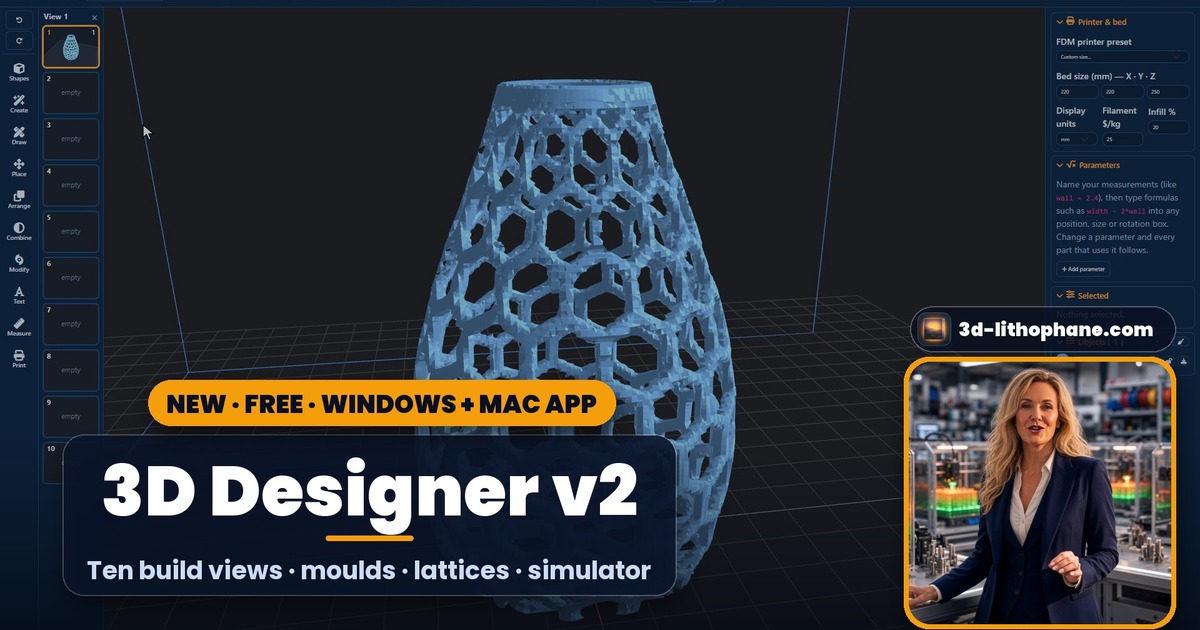
Ten build views in one design. Keep the parts of a project on separate build plates in the same design. Press V1 to V10 to jump between them, and the strip on the left shows a little picture of each one. You can copy parts from one view to another, and export one view or all of them as 3MF.
Split big models onto their own views. Split for printing now puts every piece of a big model on its own view, laid flat and ready to print, with the pins on the next one.
Hollow, your way. Set the side walls, the bottom and the top on their own, and choose an open top for a cup or vase or a closed one for a sealed shell.
A mould maker. Turn any part into a two-part mould for resin, silicone, plaster or even chocolate. It splits the mould at the part's widest point so the cast comes out, and adds a pour hole, air vents and key pins.
Lattices. Fill a part with a gyroid, or turn its skin into an open web of hexagons, squares, diamonds, triangles, circles or Voronoi cells. Add a solid rim at the top and your vase or lamp shade has a clean edge.
A print simulator and 2D drawings. Watch your model print layer by layer before you even open your slicer. When you need a drawing, get the front, side and top views with every size on them, as an SVG or a PDF.
New: the Multi-colour Keychain Maker. Type a name, pick any font on your computer (the script fonts look lovely) and add a heart, a star or a paw. Or load your own SVG, PNG or JPG: every colour in it is listed, and you choose its filament, its height, merge it into another or leave it out. Raised or flat, with the outline and the key ring added for you, and one 3MF with every colour on its own filament, ready for your AMS, CFS or MMU. It has its own page, and it is in the designer too, under Create → Multi-colour keychain.
Tool windows that stay out of your way. Every tool opens in its own window that you can drag aside, and its tips now show in a bar at the top of the view instead of over the settings you are changing.
The easiest way to use it: the desktop app. If you design a lot, try the free 3D Designer app for Windows and Mac. It runs v2 in its own window, with your whole screen to work in and no browser tabs or bars in the way, and it opens with one click from your desktop. Sign in with the same account and your designs are all there. It is free to use, and if you want everything without limits you can unlock it for life for $15, once, for Windows and Mac. Supporters already have it all included.
👉 Open 3D Designer v2
👉 Make a multi-colour keychain
👉 Get the desktop app for Windows or Mac
I would love to see what you make with it. Reply to this email or please post it in the gallery.
Happy printing,
Danie