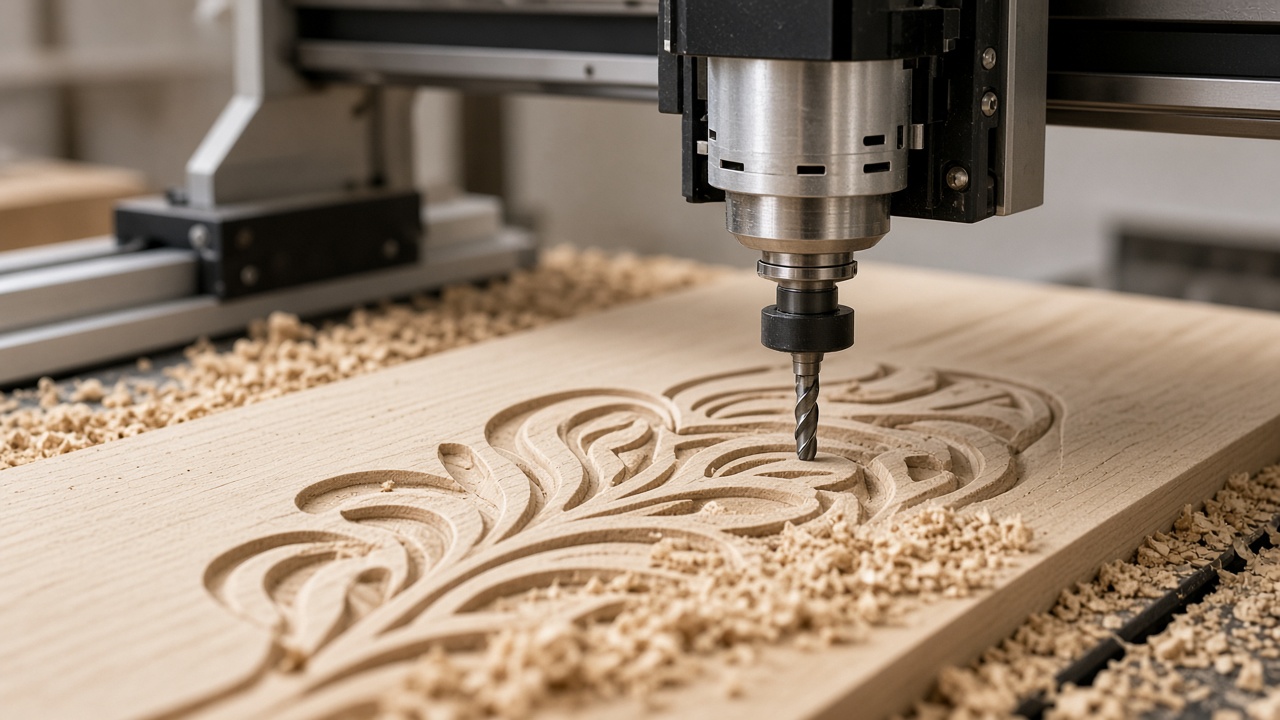
3D Lithophane - Did You Ever Try CNC? Here's What's Coming
CNC router tools are on the way: carve a photo relief from your browser, with proper tool radius compensation. Here's what's coming and how to get early access.
CNC Router Tools
About thirty years ago I got involved with CNC machines - long before 3D printing became mainstream. Over the years I’ve designed and built many CNC systems of different sizes and purposes. The largest was a CNC duplicator measuring 10 metres wide by 12 metres long, with a 50 cm working height. It was used to cut large PVC linings for construction dams.
What most people don’t realise is that the fundamental principle behind nearly all of these machines is the same. Whether it’s a CNC router, a laser cutter, a vinyl cutter, Plasma/Gas cutter or a 3D printer, they all rely on the same three axes of movement:
- X-axis - left and right
- Y-axis - forward and backward
- Z-axis - up and down
More than twenty years ago I wrote my First CNC control software. It still runs today, even though it was developed long before AI or modern automated systems existed.
[Look at the Video here] (https://youtu.be/h8vZ0WncpbA).
In the early days we built our own motor controllers using MOSFETs. Later, when Arduino arrived, it made interfacing with motors and sensors significantly easier.
CNC routing has always been the other side of the hobby for me. While 3D printing builds objects by adding material layer by layer, CNC routing removes material - carving, cutting, and shaping solid stock such as wood, foam, plastics, or composites. It’s a subtractive process that lets you create detailed reliefs, signs, furniture parts, moulds, and functional components with a level of precision and material choice that 3D printing often can’t match. The tactile result of a well-cut wooden relief or a clean foam mould is hard to replicate any other way.
G-code and GRBL
At the heart of almost every CNC machine - including 3D printers - is G-code. G-code is the common language that tells a machine exactly what to do: where to move, how fast, how deep to cut or extrude, when to turn a spindle or laser on, and so on. A 3D printer, a laser cutter, a vinyl cutter, and a CNC router all speak the same basic language, even if the tools and materials differ.
Most hobby CNC routers today run GRBL, an open-source firmware that interprets G-code and controls the stepper motors. It’s lightweight, reliable, and runs on inexpensive microcontrollers. Because GRBL (and similar controllers) understand standard G-code, files generated for one machine can often be adapted for another with only minor changes to speeds, feeds, and tool definitions.
The tools I’m building generate G-code specifically tuned for GRBL-based hobby routers, with proper tool-radius compensation so the carved detail matches the original photo as closely as possible.
What’s Coming
I’ve been working on something related to it lately.
I’m building CNC router tools that work the same way our lithophane tools do: right in your browser, with no software to install. The first tool turns a photo into a relief, carved with proper tool-radius compensation, so the detail actually comes out correctly on a hobby router. It writes G-code made for GRBL.
I’ve also developed a new browser-based controller (Chrome only) that lets you control your CNC directly from the web browser:
A free Windows Desktop App version will also be available to download.
Alongside these tools I’m working on a CNC simulator with a control dashboard, so you can preview your file and keep an eye on the job as it runs. This means you don’t even need a CNC machine to see how it works - the simulator shows you exactly what will happen, including toolpaths, depths, and estimated cutting behaviour.
Early Days, On Purpose
These tools are currently in beta and open to beta testers only while I test them on real machines. That’s deliberate. A CNC router is not forgiving of a bad file - one wrong depth or feed rate can damage a tool, ruin material, or worse. I want this proven before it opens to everyone. Your original picture never leaves your computer, and a small preview of each download is kept for 90 days.
Beta places are full at the moment, but you can join the waiting list on the page - or send an application anyway. I do read them.
Why It’s Worth a Look
If you’ve got a hobby CNC router sitting next to your 3D printer, or you’re simply interested in CNC routing, this is worth keeping an eye on. Carving a photo relief in wood or foam is a different kind of satisfying from printing a lithophane, and it’s nice to have both coming from one place. The tools are designed to make CNC routing more accessible without sacrificing the control and precision that the process demands.
Go and have a look at the CNC router tools page, join the list, and I’ll let you know the moment a seat opens up.
Happy printing (and routing),
Danie