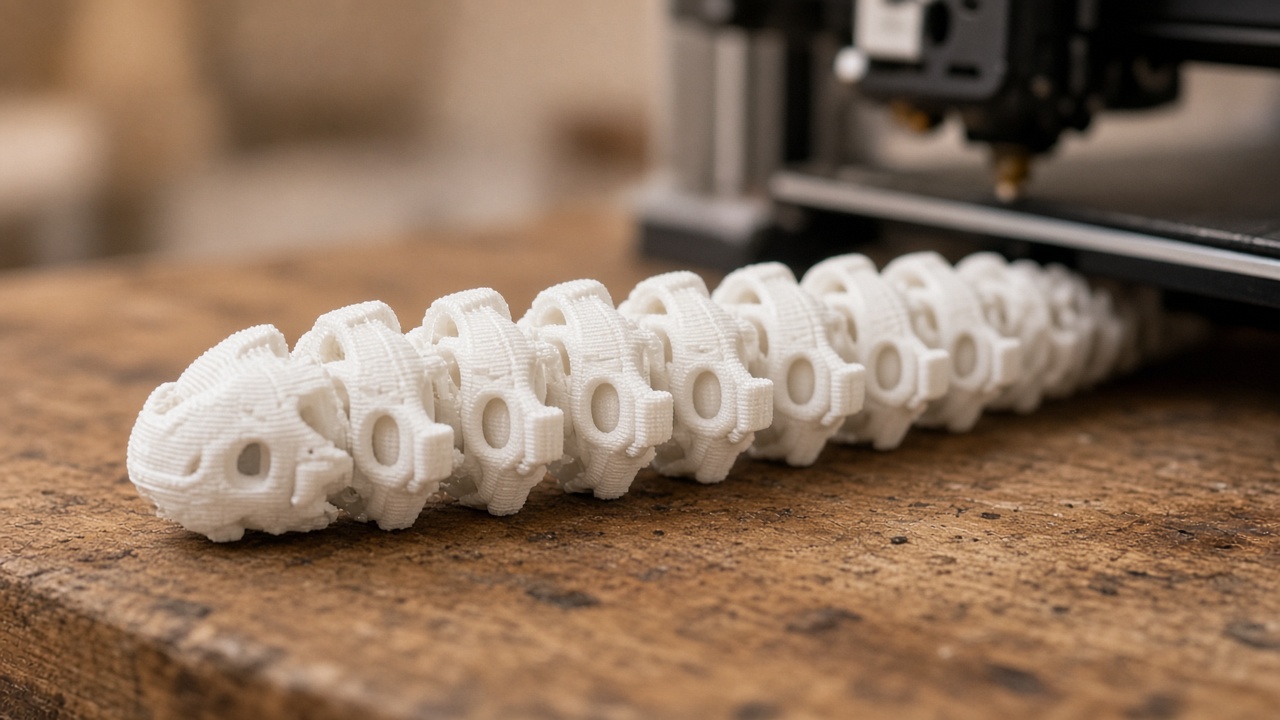
Making Things Bend: Joints and Flexi Links in the 3D Designer v2 & 3D Maker Studio
Learn how joints, flexi links and the Bend tool in the 3D Maker Studio or 3D Designer v2, let you print models that move, right out of the box.
Some of the most fun models I print are the ones that move. Not because I added a motor or a hinge pin, but because I designed the plastic itself to flex or pivot.
Joints: parts that pivot
A joint is just two parts that fit together loosely enough to turn, but snug enough to hold their place. In the 3D Maker Studio you can set a small clearance between two shapes, print them together, and they come off the bed already moving. Get the clearance too tight and the joint seizes. Too loose and it rattles. A bit of testing on your own printer is worth it, and that's exactly the kind of thing the Print Doctor can help you check before you commit to a long print.
Flexi links: no assembly needed
A flexi link is different again. Instead of two separate parts, it's one continuous piece with thin, flexible sections between thicker segments, like a spine. Print it flat on the bed and it comes out ready to bend, curl or wiggle, no glue, no screws, no waiting for supports to come free. The trick is keeping those thin sections thin enough to flex but thick enough not to snap. That balance depends on your filament, so if you're not sure, run a quick test piece first.
Bend it: curving a whole model
The Bend tool in the 3D Designer works on the whole shape rather than individual joints. Pick an axis, set an angle, and a straight model curves smoothly along its length. It's handy for anything that needs to follow a curve: a hook that wraps round a shelf edge, a name plate that sits on a cylinder, or just giving a plain block a bit of character. Because it's a tool inside the Designer, you can combine it with lattices, mirrored parts or any of the other build tools already in there.
Where to try it
All three of these live inside the 3D Designer, which is free to use with a free account, with a couple of saves and STL exports a day. If you end up using it often, a $9.99 per month Supporter plan gives unlimited exports, plus AI model generation, the AI Fault Finder, and the book From Idea to Print free to keep for that month. There's also a one-off $15 lifetime unlock for the desktop app itself, separate from the website's Supporter plans, with unlimited saves, exports and 30 AI models a month for the first year.
Go have a play with a joint or a flexi link this week. There's something satisfying about a model that moves because you designed it to, not because you bolted something on afterwards.
Happy printing,
Danie