Become a Supporter
Keep the lights on, unlock the AI designer & unlimited lithophanes
Everything here is built & hosted by one person. The photo generators and the 3D designer stay free to use with a free account — building, previewing and editing are never limited, and there are 10 downloads a month to take home. Supporters lift the caps and unlock the AI model generator, which costs real money every time it runs.
Although the core features of all our software tools will always be free, by choosing to pay a monthly or annual support of a few dollars you can help us build and update more tools and features, and for your support receive FULL use of these tools.
Free
- All photo lithophane shapes (flat, cylinder, cone, cube, globe, lantern…)
- Full in-browser 3D Designer, free to build & edit — primitives, parts, text, CSG
- Live 3D preview & STL downloads
- Up to 10 downloads a month — lithophane STLs, designer STL exports and tool files together
- Keep 5 saved designs (2 saves a day) — Save to file any time
- New designer tools 30 days after launch
- All 3D print tools, free to build & preview — hollow, perforate, hex frame, lattice, wireframe, Image/Text to STL, Engrave, Print Doctor and the simulator
- Tool files come out of the same 10 a month (you only spend one when you download a result — calibration & test prints are always free)
- AI model generator (locked)
Supporter
- Everything in Free
- AI 3D model generator — describe it, AI builds it (3D Designer Only) (5/day)
- AI Fault Finder — describe a failed print, AI says what went wrong (5/day)
- Unlimited lithophane STLs — no daily cap
- Unlimited 3D print tools & print simulator — no daily cap
- Unlimited 3D Designer exports in every format — 3MF with colours and separate parts, OBJ, GLB, PLY
- Unlimited saved designs — a free account keeps 5
- New designer tools first — on launch day, 30 days before everyone else
- Every joint and extra — ball joints, swivels, flexi links, Check fit, one-click gear trains
- The 3D Designer apps for Windows and Mac — everything unlocked
- The book From Idea to Print — free with your first month, yours to keep ($15 on its own)
- Our genuine thanks — you keep this project alive ❤️
Supporter Plus
- Everything in Supporter
- 10 AI generations and 10 AI Fault Finder answers a day (Supporter: 5 of each)
- Photo to 3D — a printable 3D model from one photo, or up to four views
- Photo to relief — medallions and plaques from a picture
- Split into parts — figures and objects cut into printable pieces
- Cut-out lithophane — a flat lithophane with the background cut away, so only the subject glows
- Double lithophane — two photos back to back, hollow inside, for a lamp or a turntable
- Lithophane Collage — up to ten photos laid out for a flat panel, a curve, a cylinder lamp or a lantern, with text
- Split into tiles — a lithophane too big for your printer, A4 to A1, in pieces that lock together
- Puzzle lithophane — your lithophane as a jigsaw that lights up, printed in one go
- Product mockups — listing photos of your lithophane, lights on and off, with your shop name
- Print-ready 3MF — open in your slicer with the lithophane settings already set
- Paint your STL — colour any model for an AMS or multi-colour print, as a ready 3MF
- 250 credits a month — counted from the day you pay: about 25 quick models or reliefs, up to 5 jobs a day
- Top-up packs — 140 more credits for $10, used after your 250 and they do not expire
- Your photos and models are private to your account
- Priority on new features & requests
3D Designer — compare plans
| Free | Supporter | Supporter Plus | |
|---|---|---|---|
| Design, edit and preview with every tool | |||
| Exports | Part of the 10 downloads a month | Unlimited | Unlimited |
| Export formats | STL | STL, 3MF (colours & parts), OBJ, GLB, PLY, plate packs | All of them |
| Saved designs | 5 kept · 2 saves a day | Unlimited | Unlimited |
| Importing models | Up to 150,000 triangles | Any size | Any size |
| New tools | 30 days after launch | On launch day | On launch day |
| Articulate a model | Hinges, up to 3 joints | Every joint (ball, swivel, flexi), as many as you like | The same |
| Bend it & Wiggle | |||
| Check fit (collisions in any pose) | |||
| Gear calculator | Find trains, sizes, speed | + Build a train in one click | The same |
| Demos, gallery, guide | |||
| 3D Designer apps for Windows and Mac | Free, with the limits above · $15 unlocks them for life | Everything | Everything |
| AI 3D model generator | 5 a day | 10 a day | |
| AI Fault Finder | 5 a day | 10 a day | |
| The book From Idea to Print (PDF + project files) | Free sample · $15 to buy | Free, yours to keep | Free, yours to keep |
| Photo to 3D, Photo to relief and the other Plus tools |
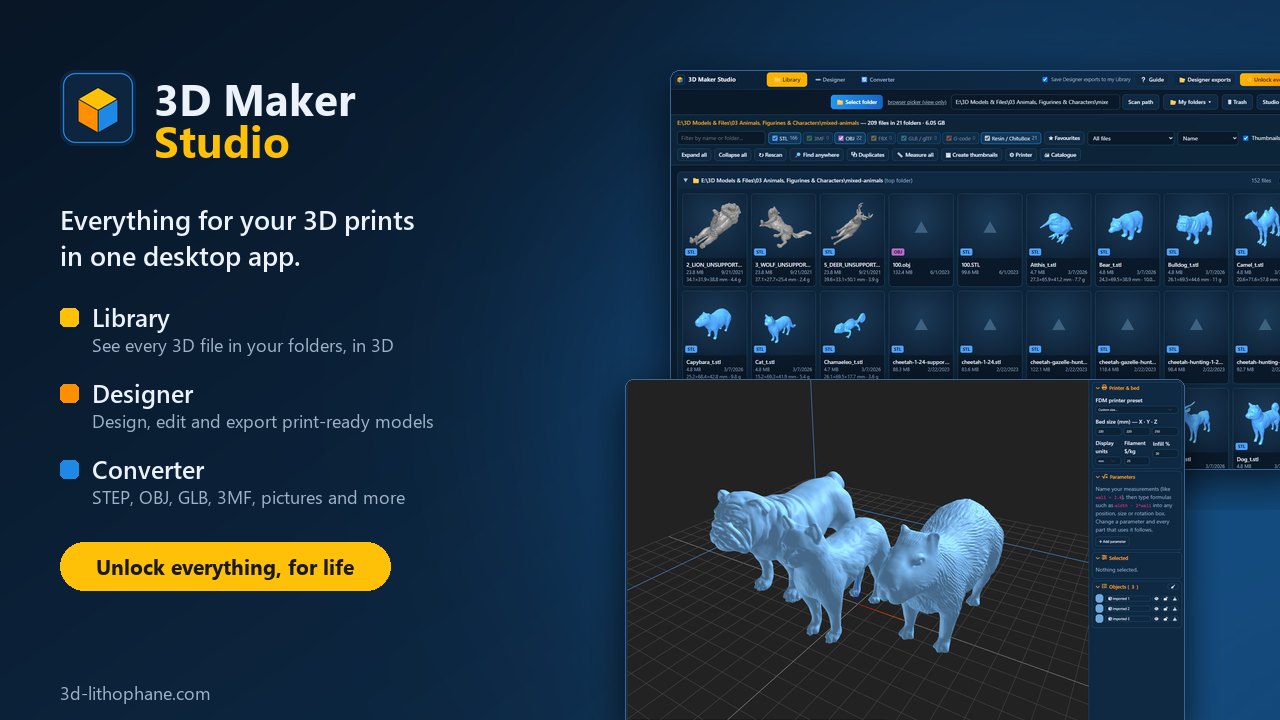
3D Maker Studio New
Everything for your 3D prints in one desktop app. Your 3D files, the 3D Designer and the File converter, side by side in one window.
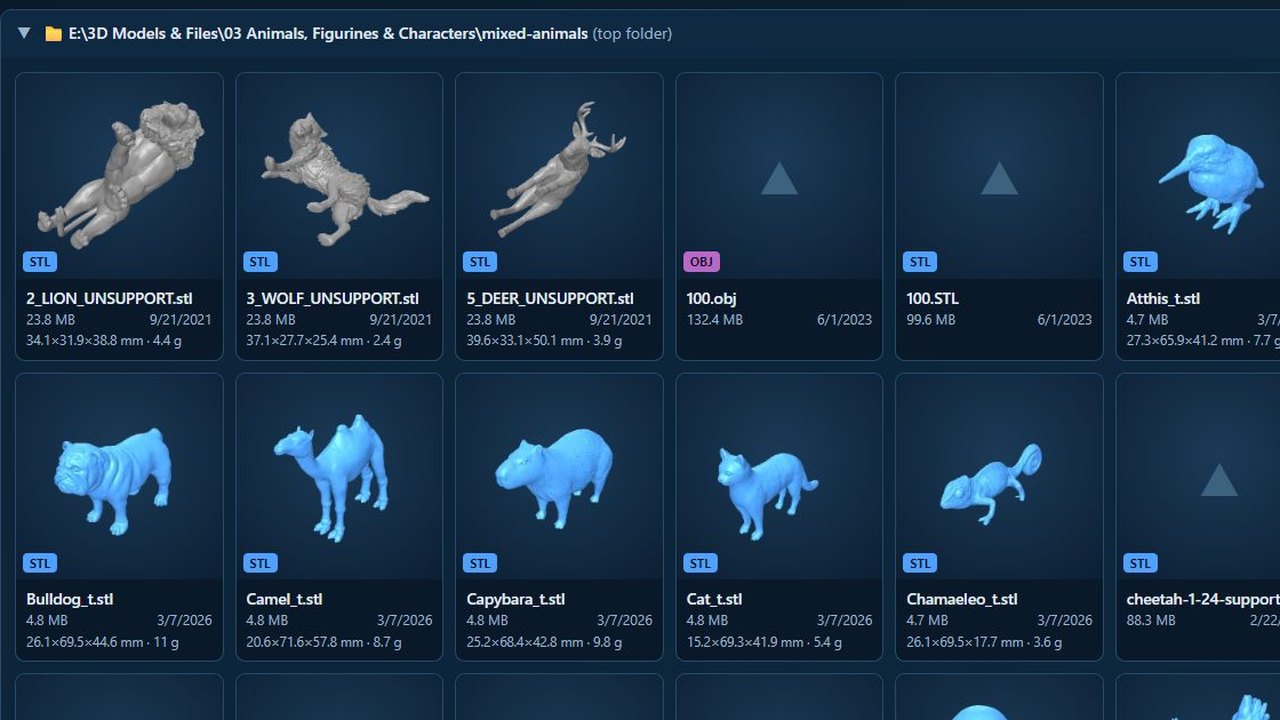
- Library: every 3D file in your folders, previewed in 3D, searched, tagged and measured
- Designer: design and edit models, export STL, 3MF with colours, OBJ and GLB
- Converter: STEP, OBJ, GLB, 3MF and more, pictures too
- Paint: paint a model in several colours with brushes and fills, and save a 3MF your slicer shows in colour
- Mechanism: gears, belts, motors, levers and hinges that move on screen, then print them
- All connected: right-click a model to open it in the Designer, and your Designer exports land in your Library by themselves
 Download for Windows
First time on a Mac
- Open the downloaded zip and drag 3D Maker Studio into Applications.
- Open it from Applications. macOS says it cannot check the app: click Done, then go to System Settings → Privacy & Security and click Open Anyway (once only).
- On an Apple-chip Mac, macOS may offer to install Rosetta first: say yes.
3D Previewer
Our free Windows and Mac app for 3D-print collectors: point it at any folder and see every STL, 3MF, OBJ, FBX, GLB and glTF inside, with real 3D thumbnails, true size, weight and cost, a bed-fit check, duplicates, tags and more. Sign in with your 3d-lithophane.com account.
- Free account — up to 1,000 files per folder scan
- 3D Previewer Supporter — every file in every folder, for life
- Plus 30 days of Supporter here on 3d-lithophane.com — unlimited lithophanes, tools and designer exports
First time on a Mac
- Open the downloaded zip and drag 3D Previewer into Applications.
- Open it from Applications. macOS says it cannot check the app: click Done, then go to System Settings → Privacy & Security and click Open Anyway (once only).
- On an Apple-chip Mac, macOS may offer to install Rosetta first: say yes.
3D Designer for Windows and Mac
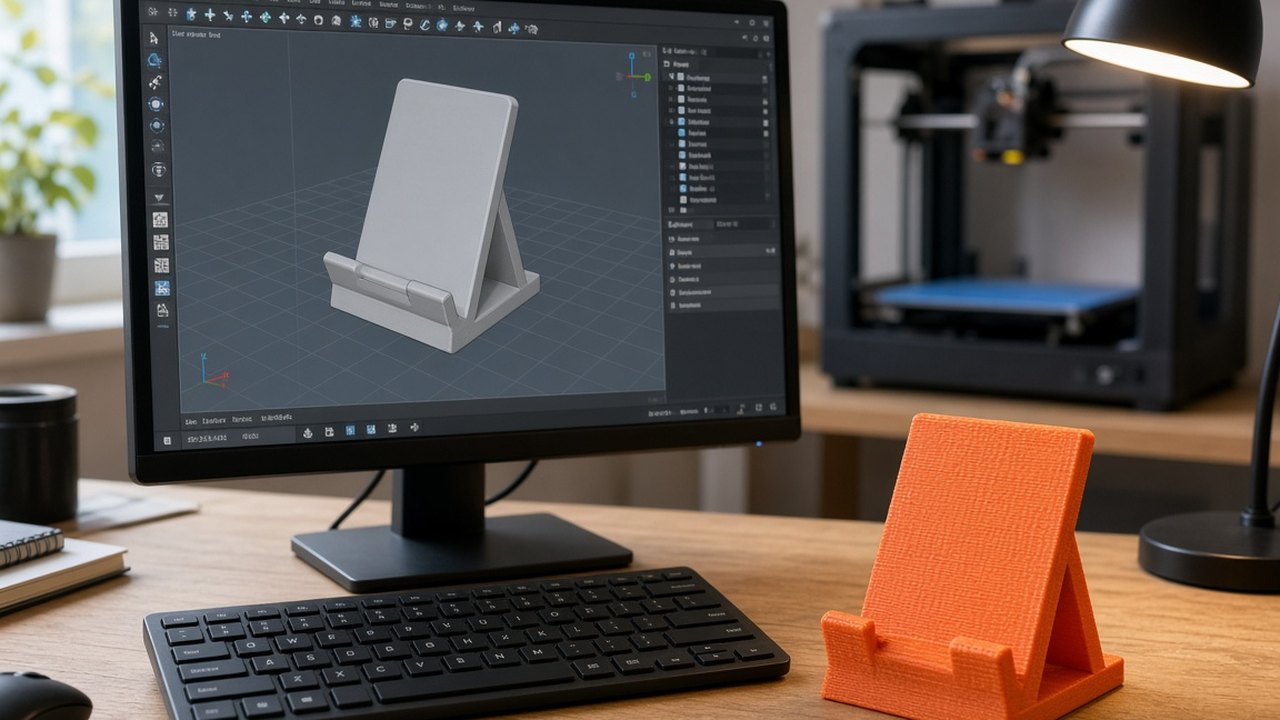
Our 3D Designer as a Windows and Mac app: the same tools, in its own window, with your whole screen to work in. Sign in with your 3d-lithophane.com account — your saved designs and shapes are the same in the app and on the website.
- Free to use — 2 saves and 2 STL exports a day, as on the website
- Unlock for life — $15 once — unlimited saves and exports in every format, every tool, and 30 AI models a month for the first 12 months. One purchase, Windows and Mac
- Supporter and Supporter Plus — everything included, in the apps and on the website
- On a Mac — it opens the designer from this website in its own window and Dock icon, so it is always the latest (it needs the internet)
 Download for Windows
First time on a Mac
- Open the downloaded zip and drag 3D Designer into Applications.
- Open it from Applications. macOS says it cannot check the app: click Done, then go to System Settings → Privacy & Security and click Open Anyway (once only).
- On an Apple-chip Mac, macOS may offer to install Rosetta first: say yes.
Unlock the app for life — $15 3D Previewer + 3D Designer — $25
How Supporter access works
- Register & log in first — that's the account your Supporter access lands on.
- Subscribe with the button above. Checkout is handled by Payhip (our payment provider), who take card or PayPal. We never see or store your card details. Please pay with the same email as your account.
- Your access unlocks automatically, normally within a minute of paying. It stays on for as long as your subscription is active per month.
- No Automatic Payment — you keep Supporter access until the end of the period you've already paid for.
- Prefer a one-off gift instead? The donate page takes PayPal or WeChat Pay. Questions: contact@3d-lithophane.com.
Supporter renews Manually.per month No Automatic Payment. Pay Manually every month. Payments are processed by Payhip, who act as the merchant of record and handle any VAT or sales tax; your card details never touch this site.